

Sign up for InboxEagle and start your free trial
Two steps stand between you and your first deliverability report: create your account, then verify your email. New accounts start on a 14-day free trial — no credit card required. Once you’re verified, the onboarding wizard walks you through adding your first brand and connecting integrations.
Create your account
Section titled “Create your account”-
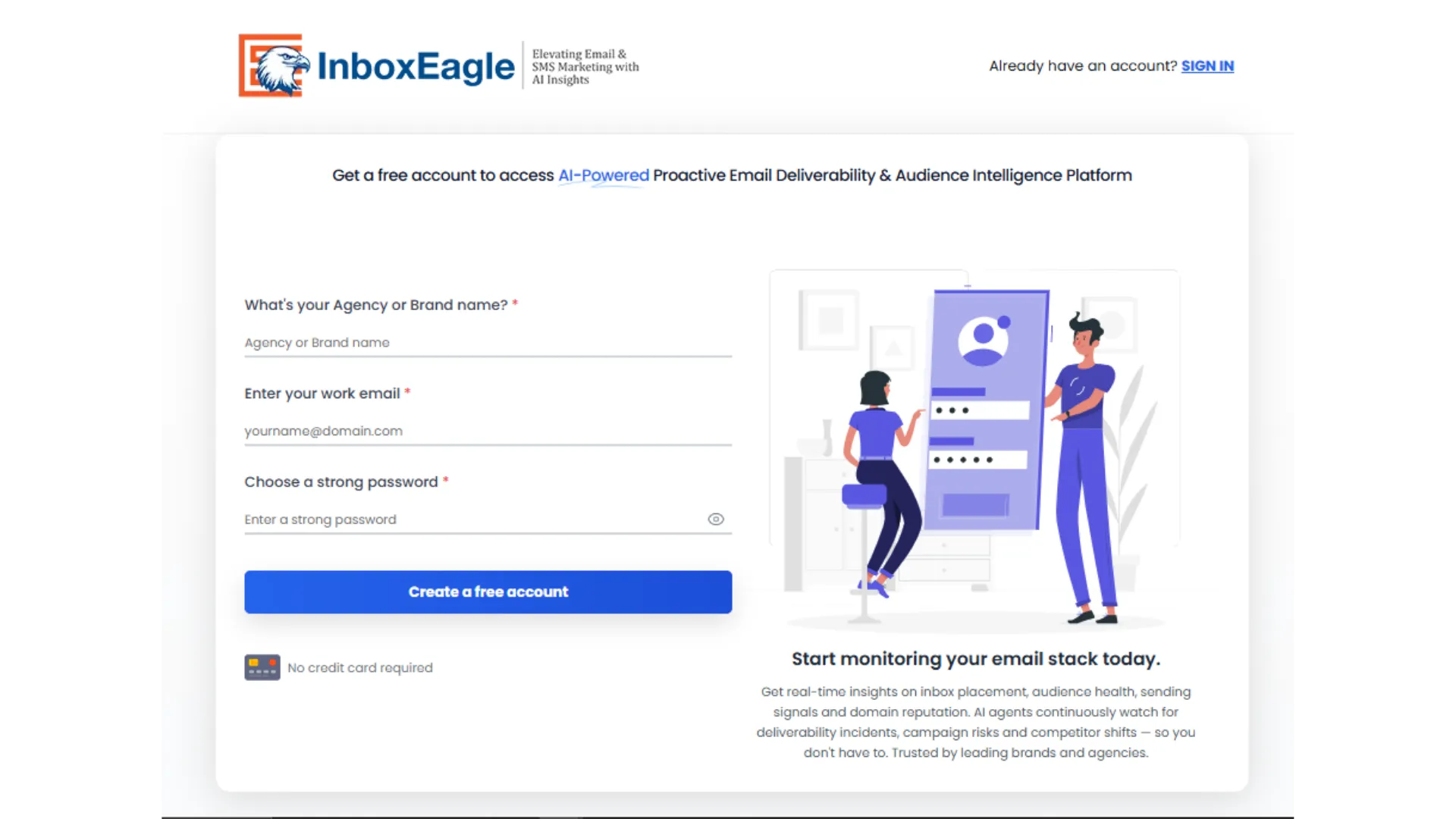
Go to app.inboxeagle.com/register.
-
Fill in the registration form:
- What’s your Agency or Brand name? — the name of your business or agency
- Enter your work email — used for login and account notifications
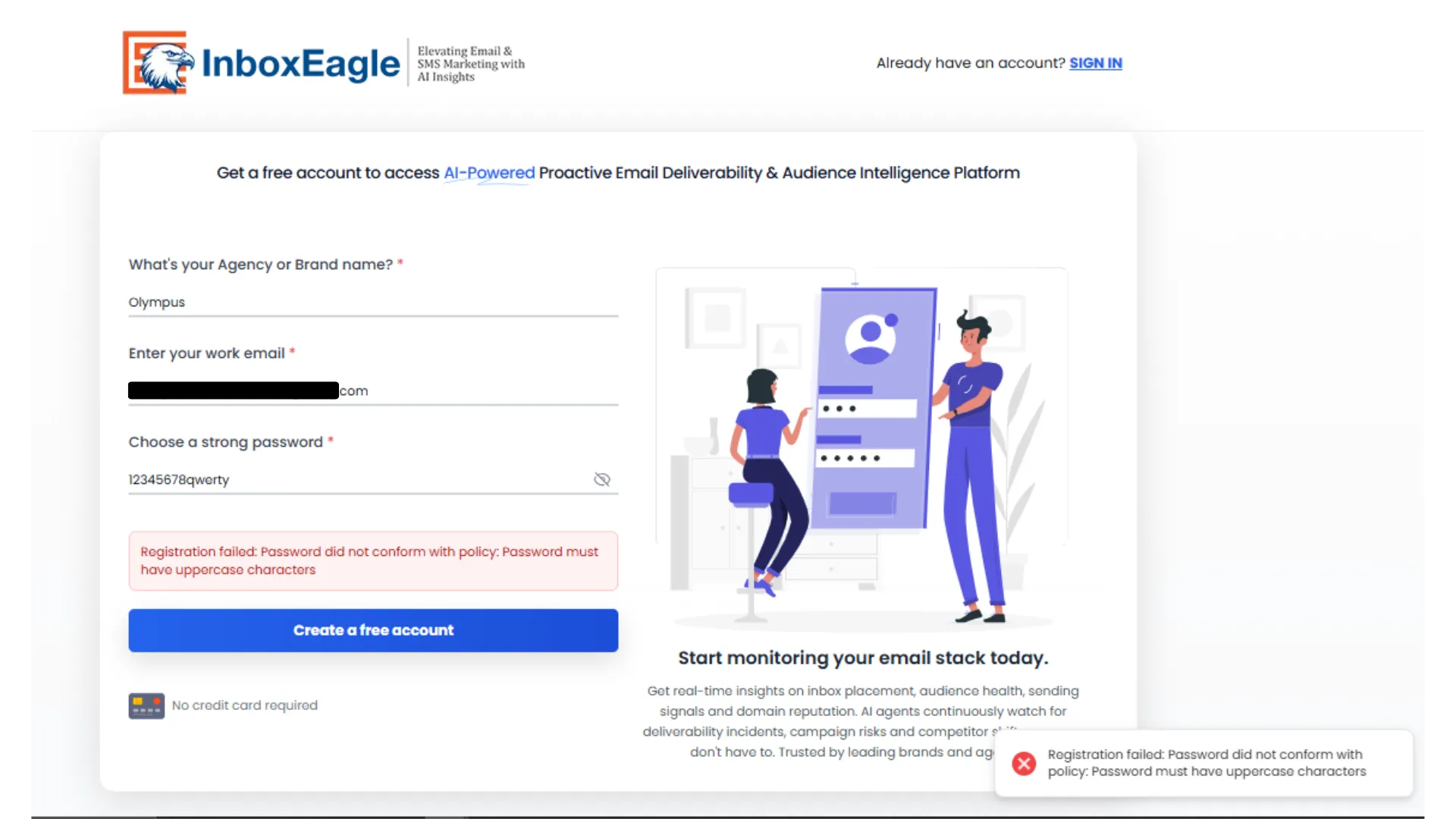
- Choose a strong password — at least 8 characters, including a lowercase letter, an uppercase letter, and a symbol
-
Click Create a free account.
Miss one of the password rules and the form flags it before the account is created:
Verify your email
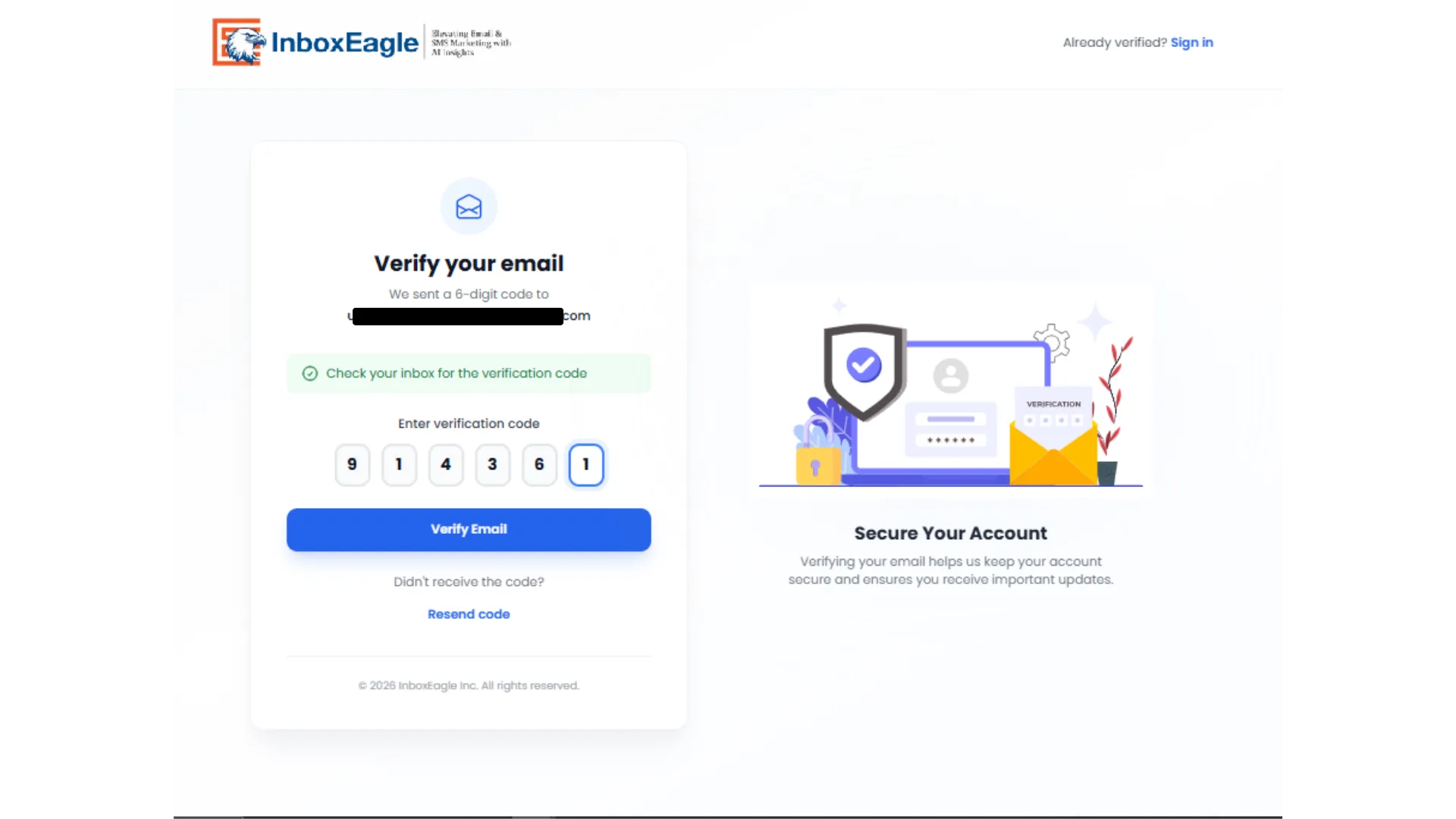
Section titled “Verify your email”Submitting the registration form takes you to the Verify your email screen.
-
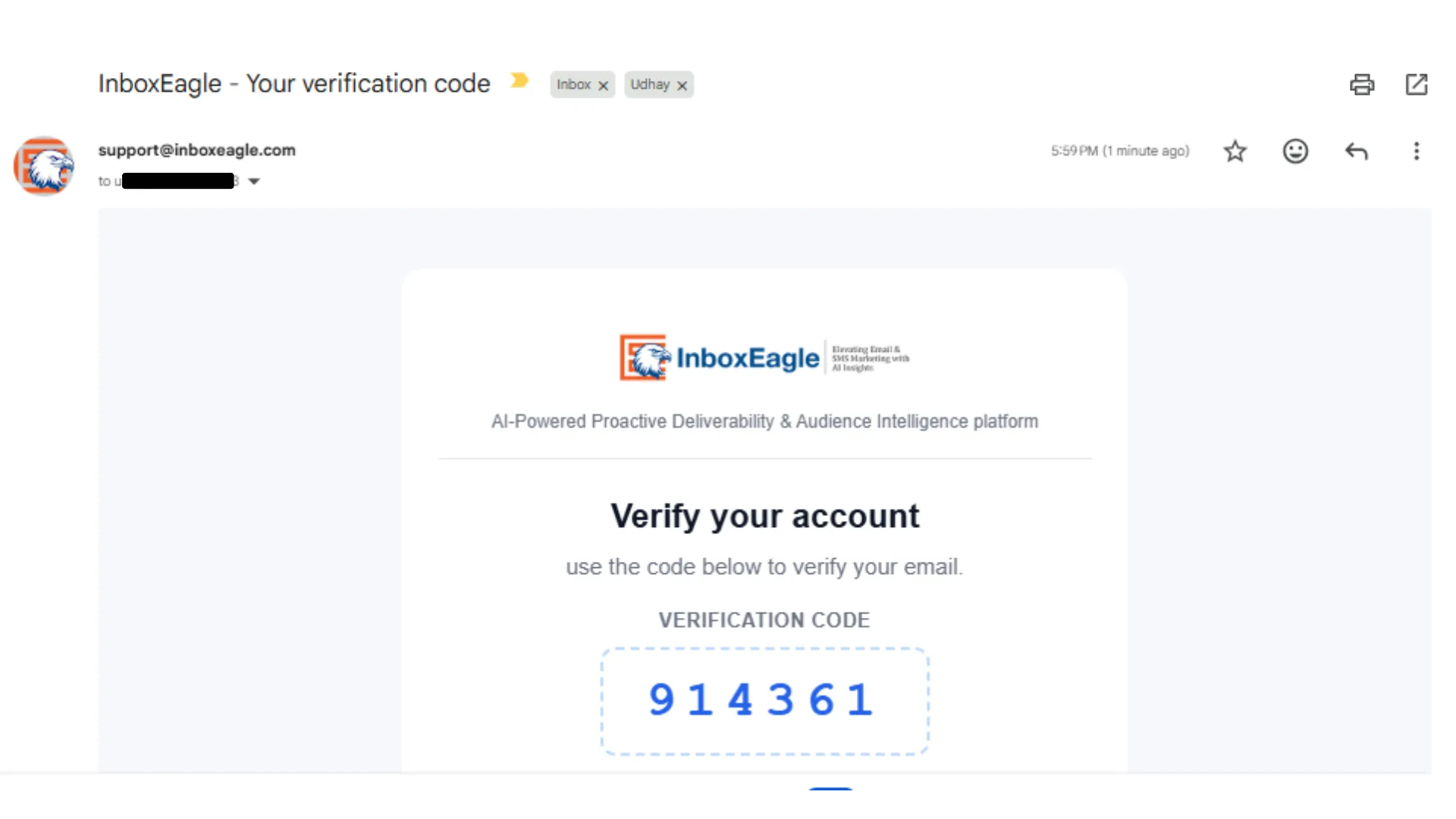
Check the inbox for the email address you registered with. InboxEagle sends a 6-digit verification code from support@inboxeagle.com with the subject “InboxEagle - Your verification code.”
-
Enter the 6-digit code on the verification screen.
-
Click Verify Email.
Once verified, InboxEagle takes you straight into the onboarding wizard to set up your first brand.
Next steps
Section titled “Next steps”Create your free account →